
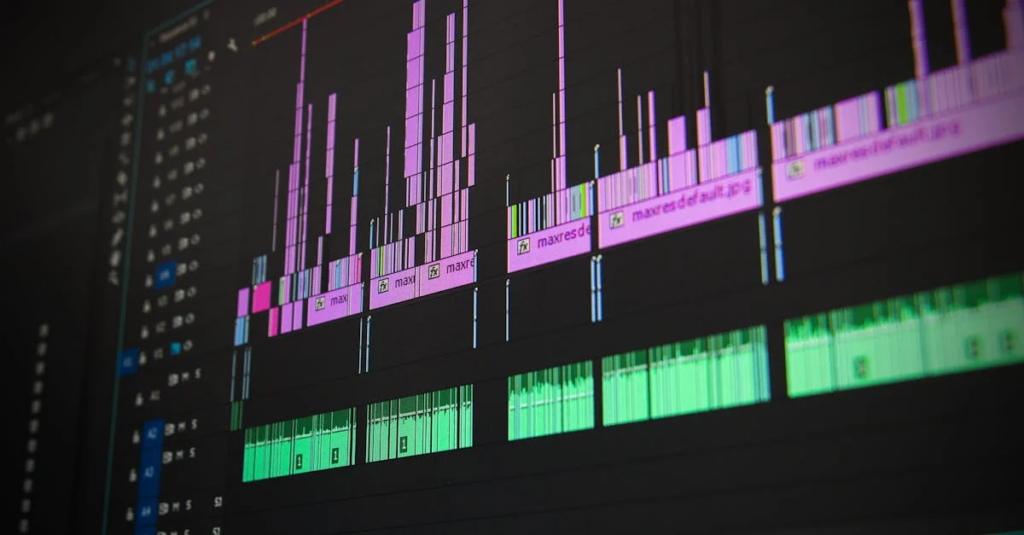
Lightworks Video Editing Software: The Ultimate Editing Tool You Need
Looking for a video editor that won’t leave you tearing your hair out? Say hello to Lightworks. It’s got everything: robust features, a friendly interface, and it won’t make your wallet cry. Whether you’re an aspiring filmmaker or just want to impress your friends with those vacation videos, we’ve got you covered. Let’s jump into the world of Lightworks and see how this software can make our video editing dreams come true.
Overview of Lightworks
Lightworks is a professional-grade video editing software that has been around since the late ’80s. Yep, it’s that seasoned. Over the years, it’s earned a solid reputation in the film and television industry, being used on major projects such as The Wolf of Wall Street and The King’s Speech. What we love about Lightworks is its user-friendly layout combined with powerful features that cater to both beginners and pros alike. It offers real-time effects, multi-cam editing, and a plethora of export options that make it stand out in the crowded digital workspace.
Key Features of Lightworks
When it comes to features, Lightworks doesn’t hold back. Here are the highlights:
Real-Time Effects: This feature allows us to apply various effects on our videos while viewing them instantly. No more waiting around for previews.
Multi-Cam Editing: Perfect for projects involving multiple cameras. It’s as easy as syncing up clips, and we can switch between them effortlessly.
Extensive Format Support: From 4K to various formats like MP4 and MOV, Lightworks has us covered, meaning we can import just about any format.
Powerful Audio Editing: With tools for mixing and refining sound, our audio quality can meet professional standards.
Export Options: Lightworks allows us to export in various resolutions and formats, tailored to our needs. Plus, it provides options for direct upload to platforms like YouTube.
System Requirements for Lightworks
Before getting too excited about downloading Lightworks, let’s check its system requirements to make sure our hardware can handle it:
Operating System: Windows 10, macOS 10.13, or a recent version of Linux.
Processor: At least an Intel i5 or equivalent.
RAM: A minimum of 8GB is ideal, though 16GB is recommended for larger projects.
Graphics Card: OpenGL 3.3 capable graphics card.
Storage: At least 500MB for installation, plus plenty of space for our video files and projects.
It’s always a good idea to ensure our systems meet or exceed these specs to avoid any glitches.
Getting Started with Lightworks
Jumping into video editing can feel intimidating, but with Lightworks, we can get up and running quickly. First things first, we need to download the software from the official website. Once installed, let’s create our first project:
Open Lightworks and click on “Create a New Project.”
Name our project, get creative.
Set the time base (24fps is standard.), then hit ‘Create.’
Import video clips by dragging them into the Media panel.
Now we can start editing. Lightworks provides an array of tutorials and in-app guides. So, even if we get lost, help is just a click away.
Lightworks Pricing Options
Pricing can often be a deal-breaker, but with Lightworks, we’ve got options. The software offers a free version with limited exporting options, great for beginners to test the waters. If we’re looking for full functionality, the Pro version is available for a subscription or a one-time payment:
Free Version: Perfect for basic editing and projects.
Pro Monthly Subscription: Offers full features, including project collaboration.
Pro Yearly Subscription: A more cost-effective option if we plan to edit regularly.
It’s up to us, whether we want to dip our toes or immerse headfirst.
Tips and Tricks for Effective Video Editing
Editing can be as much an art as it is a science, and we can elevate our game with a few handy tips:
Organize Your Media: Keep our video files sorted in folders to save time.
Use Keyboard Shortcuts: Lightworks allows us to customize shortcuts to speed up our workflow.
Color Grading: Play around with color settings to give our footage a professional touch.
Regular Saves: Getting lost in editing can lead to lost progress. So, save often.
Watch Tutorials: Lightworks’ YouTube channel and forums are treasure troves for tips.